I have decided to create first ever tutorial for SPEAK 2.0 which will give you really working examples.
Why? Because I was not able to find any information about that and I was not sure which version should I choose for greenfield projects (1.2 or 2.0).
I hope I will be able to answer for all your questions in this and all future articles.
Do not hesitate to ask when you will have any additional questions.
Before we will start, please remember – if you want to work with SPEAK you have to:
- work on core database
- use Sitecore Rocks for Visual Studio
SPEAK 2.0 guidance
Sitecore with second verions of SPEAK provides us something new – the guidance. Inside core database under the path:
/sitecore/client/Business Component Library/version 2/Content/Guidance/Dashboard
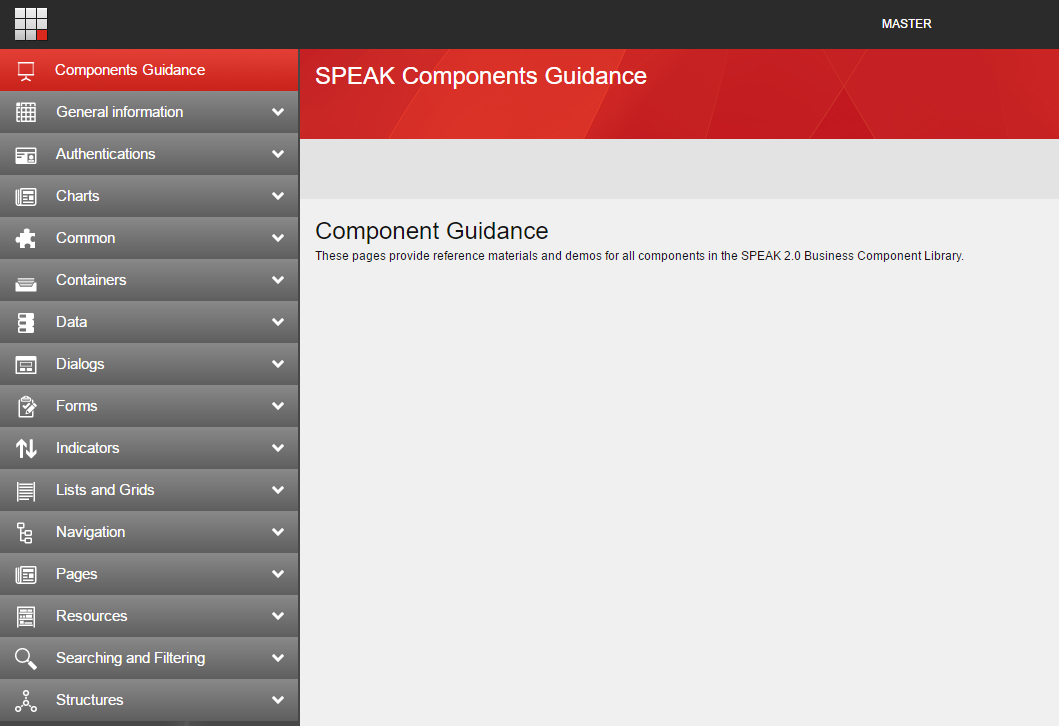
We can find SPEAK application with all available SPEAK 2.0 components.
Application looks in the following way:
Under the url
/sitecore/client/Business Component Library/version 2/Content/Guidance/AllComponentsList
we can see all available components but this time as a list. The number of components is really impressive. We can use following components:
| Category |
Component Name |
| Authentications |
AccountInformation |
| Charts |
LineChart |
| Charts |
RadarChart |
| Charts |
AreaChart |
| Charts |
BarChart |
| Charts |
ColumnChart |
| Charts |
DoughnutChart |
| Charts |
PieChart |
| Common |
BackButton |
| Common |
Button |
| Common |
CheckBox |
| Common |
DropDownButton |
| Common |
DropList |
| Common |
GlobalLogo |
| Common |
HyperlinkButton |
| Common |
Image |
| Common |
ListBox |
| Common |
MessageBar |
| Common |
ProgressBar |
| Common |
SearchableDropList |
| Common |
Separator |
| Common |
ButtonTextBox |
| Common |
Text |
| Common |
TextBox |
| Common |
TextArea |
| Common |
ToggleButton |
| Common |
ChildRenderer |
| Common |
ItemRenderer |
| Common |
PageCode |
| Common |
RenderView |
| Common |
SubPageCode |
| Containers |
Border |
| Containers |
Expander |
| Containers |
Frame |
| Containers |
ScrollablePanel |
| Containers |
SubAppRenderer |
| Containers |
TabControl |
| Containers |
Popover |
| Data |
QueryDataSource |
| Data |
SearchDataSource |
| Data |
EntityDataSource |
| Data |
BaseDataSource |
| Data |
ChartDataSource |
| Data |
GenericDataSource |
| Dialogs |
ConfirmationDialog |
| Dialogs |
DialogWindow |
| Forms |
Form |
| Forms |
Uploader |
| Forms |
UploaderInfo |
| Indicators |
ArrowIndicator |
| Indicators |
ValueLabel |
| Lists and Grids |
Grid |
| Lists and Grids |
ListControl |
| Navigation |
Breadcrumb |
| Navigation |
Menu |
| Navigation |
NavigationToggle |
| Resources |
Pipeline |
| Resources |
Rule |
| Structures |
Page Structures |
| Structures |
Substructures |
Sitecore also provides us a list of all available properties which defines the components behavior. List is available under the url:
/sitecore/client/Business Component Library/version 2/Content/Guidance/AllComponentProperties
It is really long list – so i will not paste it here.
SPEAK 2.0 page branches
In previous version of SPEAK we had possibility to use branches for faster creation of pages. We could find them under the path:
/sitecore/client/Business Component Library/version 1/Templates/Branches
Unfortunately they are currently not available for SPEAK 2.0.
That is why I prepared a branch for dashboard. You can download Sitecore package with this branch from here: SPEAK 2.0 Branches-1.0
Install this package in your Sitecore instance. If you will create a page with my template branch you will be able to see following page:
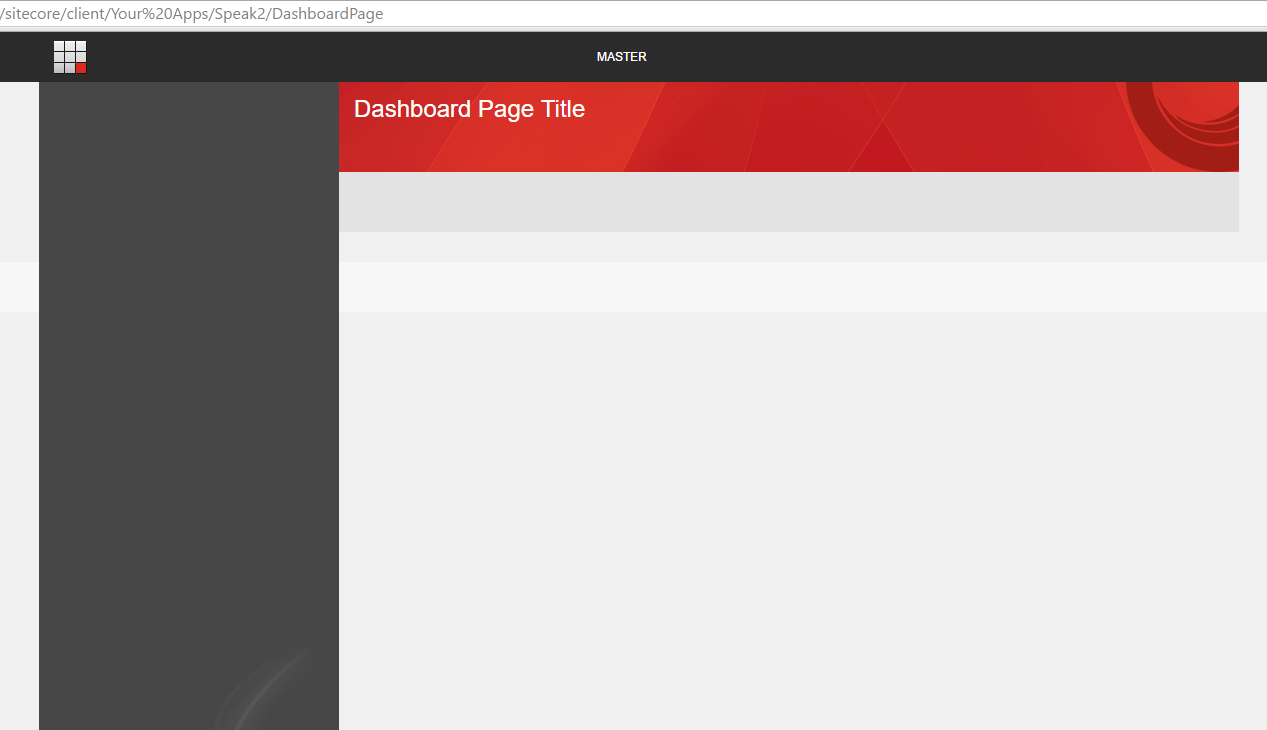
Nothing special – that’s right, but it is looking exactly the same as page created from SPEAK 1.2 template branch. If you will compare “Design Layout” definitions you will find many differences.
Your first SPEAK application in 4 simple steps
- Open Core database inside Sitecore Rocks
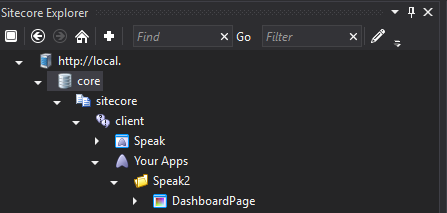
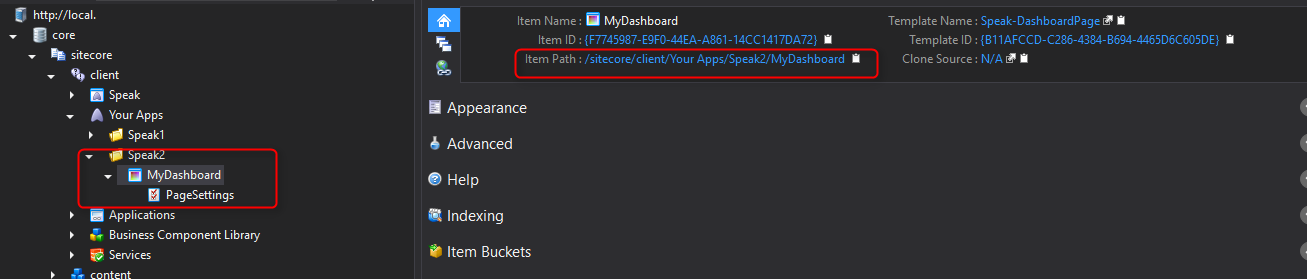
- Create your application directory under path “/sitecore/client/Your Apps” (my application name is “Speak2”)
- Add first item to your application – page which is based on DashboardPage branch from “SPEAK 2.0 Branches” package
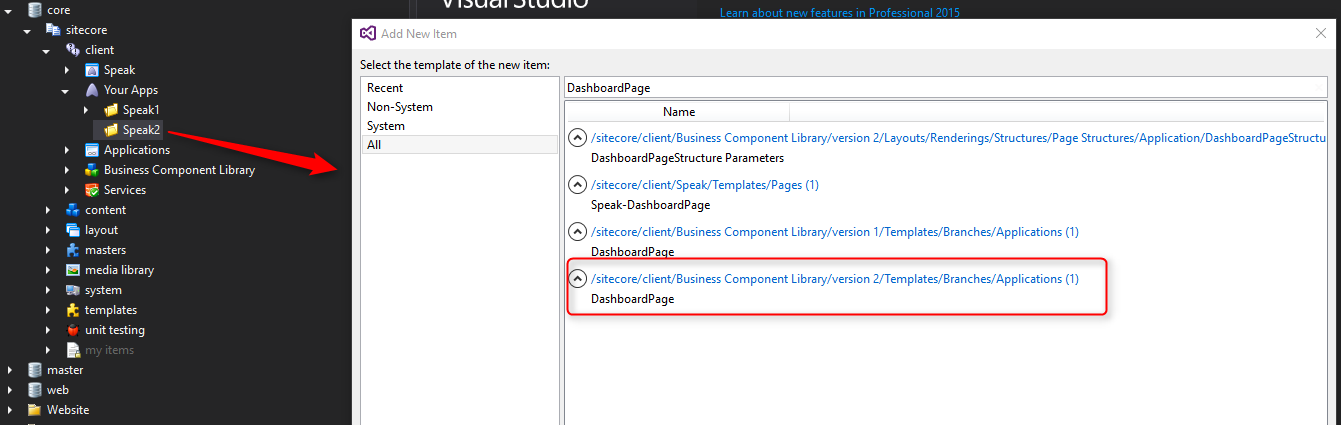 As result you should see item with PageSettings item under your page item.
- Open your application in browser – use item path and paste it into the browser.
Congratulations – you have created your first SPEAK 2.0 application!
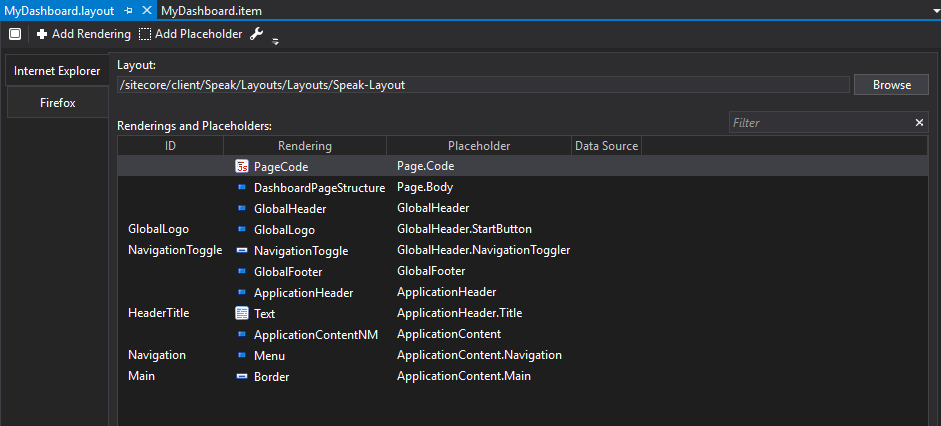
Check also “Design Layout” properties for your Dashboard item. You should have following renderings:
What will be next?
In next article I will show you how to build SPEAK 2.0 application with ListControl.
More about SPEAK 2.0